

Features
- Automatically sync repositories from your Bitbucket workspaces
- Create and manage pull requests with AI-generated code changes
- Support for both draft and regular pull requests
- Repository selection for targeted automation
Installation
Create Service User
Create a dedicated Bitbucket account for Tembo using either an email alias
(
youremail+tembo@company.com) or a dedicated email (tembo@company.com).
Invite this account to your Bitbucket workspace and complete the sign-up process
using the name “Tembo”. This ensures that PRs are opened as “Tembo” rather than
your personal account.Connect Integration
Navigate to the Integrations page in
Tembo and click the
Install button next to Bitbucket. Make sure you’re logged
into the Tembo Bitbucket account (not your personal account) when completing this
step.OAuth Authorization
Complete the OAuth flow to grant Tembo access to your Bitbucket account.
This will allow Tembo to:
- Read your repositories and workspaces
- Create branches and pull requests
- Access repository metadata
Select Repositories
After connecting, Tembo will sync all accessible repositories from your
Bitbucket workspaces. Choose the repositories you want Tembo to work with,
including both your monorepo and docs repositories for full coverage.Tip: If repositories don’t appear after a few minutes, use the sync button on the Integrations page to manually trigger a refresh.
Configuration
Repository Settings
Once connected, you can configure which repositories Tembo should monitor:- Workspace Selection: Tembo automatically discovers all workspaces your service user has access to
- Repository Selection: Choose specific repositories from each workspace
- Default Branch: Tembo will use the repository’s default branch as the base for PRs
Pull Request Settings
Configure how Tembo creates pull requests:- Draft PRs: Enable to create pull requests as drafts by default
- Branch Cleanup: Pull requests automatically delete source branches when merged
- PR Templates: Use your repository’s existing PR template if configured
Managing Your Integration
Manual Sync
If you’ve added new repositories to your Bitbucket workspace or modified repository permissions, you can manually sync to refresh the list:- Navigate to the Integrations page
- Find the Bitbucket integration card
- Click the sync button (circular arrow icon)
- Wait for the sync to complete - the button will show a loading indicator while syncing
Usage
Automatic Repository Sync
Tembo periodically syncs with your Bitbucket account to discover new repositories and update existing ones. The sync process:- Fetches all workspaces accessible to the connected account
- Lists repositories within each workspace
- Creates or updates repository records in Tembo
- Maintains metadata about workspace and repository relationships
Pull Request Creation
When Tembo creates a pull request:- Branch Creation: Creates a new branch from the default branch
- Code Changes: Applies AI-generated changes to the branch
- PR Creation: Opens a pull request with generated title and description
- Draft Status: Respects your draft PR settings
- Source Branch Cleanup: Automatically deletes the source branch when merged
Working with Pull Requests
Reviewing Pull Requests
Review Tembo’s PRs just like any other team member’s work:- Examine the changes and verify they align with your requirements
- Leave comments directly on the code if you need changes
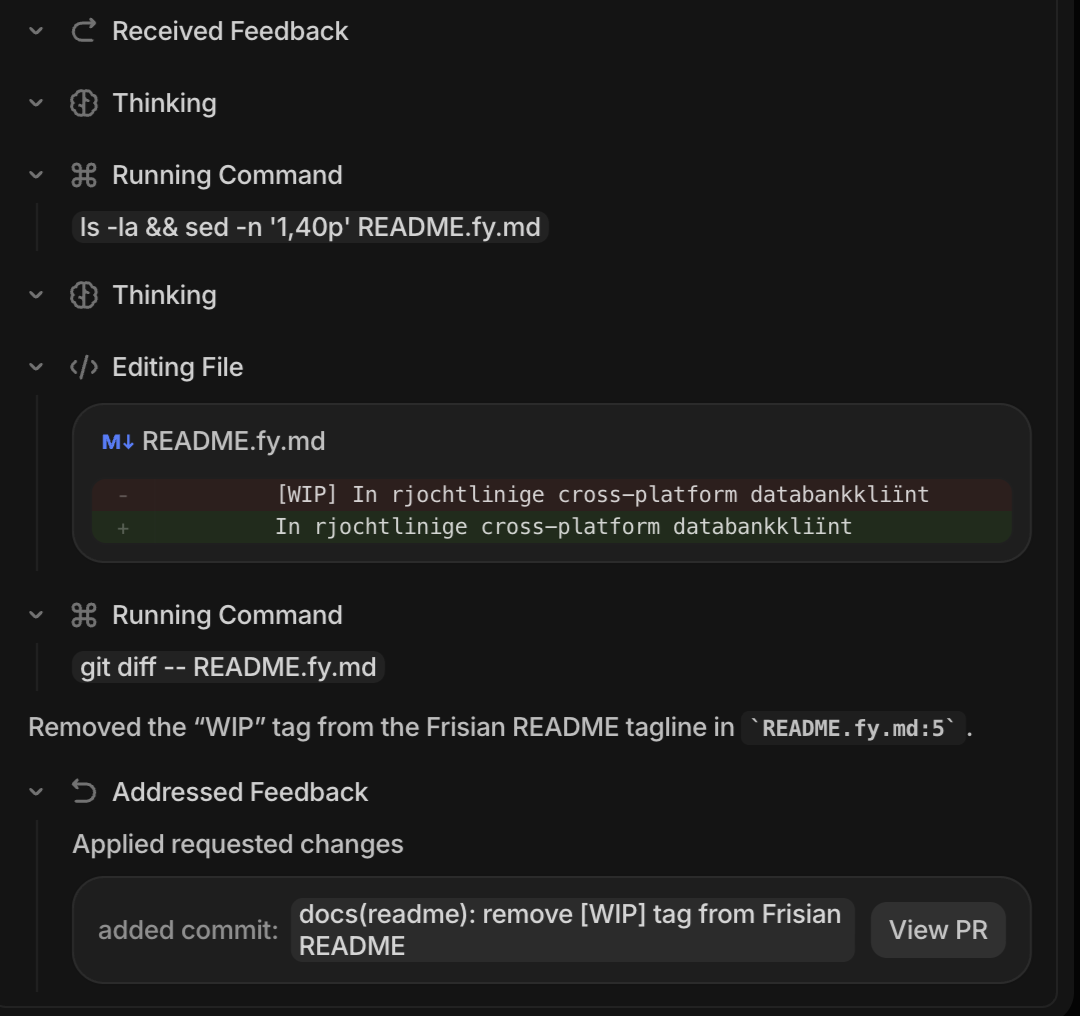
- Use the Feedback Loop feature to have Tembo address your review comments automatically
Commenting on PRs
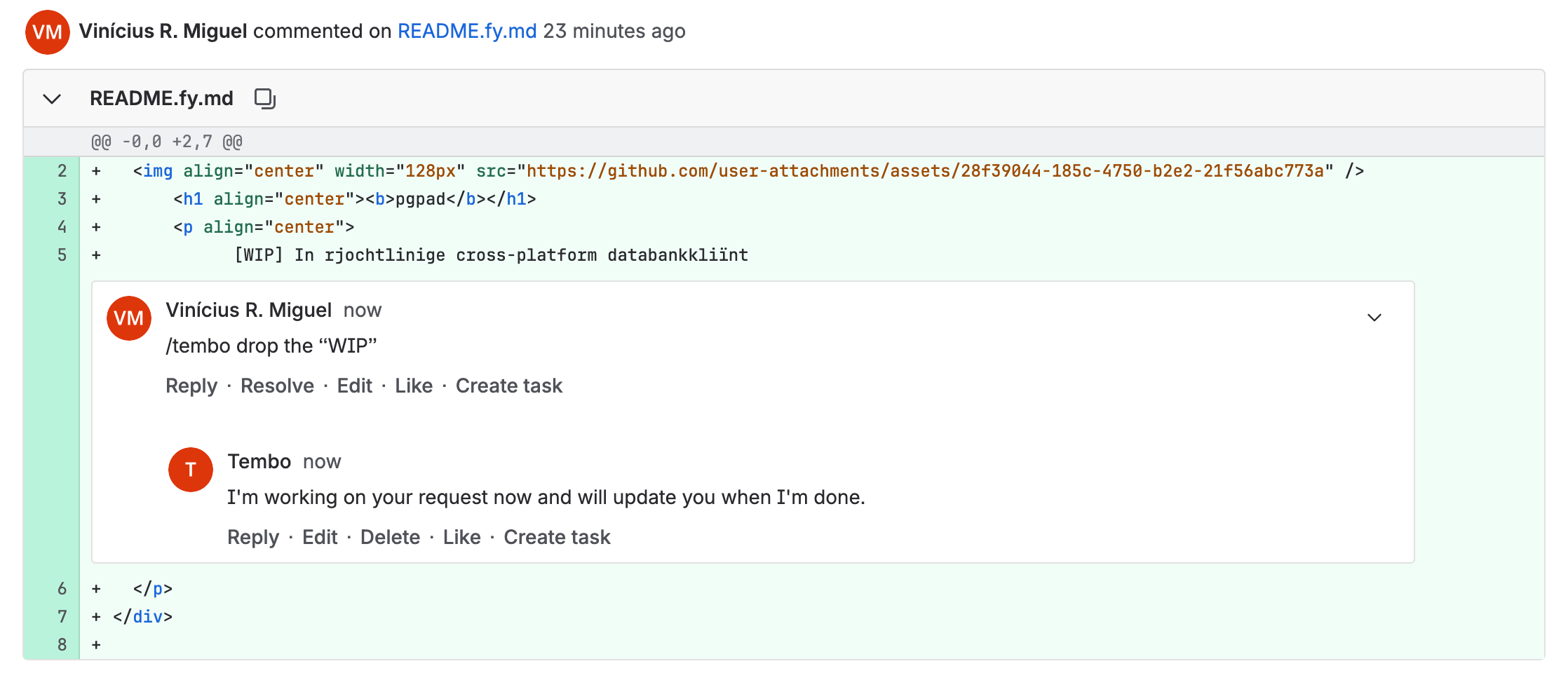
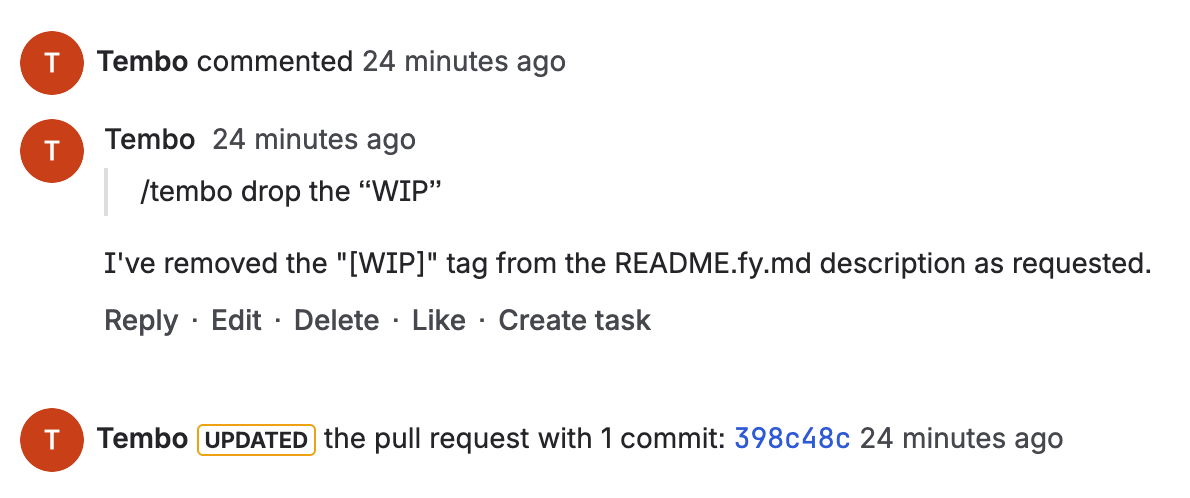
When reviewing Tembo’s pull requests, you can request changes or improvements by adding/tembo in your comments. This ensures Tembo responds to your specific feedback while ignoring internal team discussions or comments directed at other team members.
Example:
Troubleshooting
Repositories not appearing? Wait 2-5 minutes for initial sync, verify the service user has workspace/repository access, or click the sync button to refresh manually. Authentication errors? Ensure the service user has proper permissions, verify workspace membership, and try disconnecting/reconnecting the integration. Repository access issues? Confirm the service user has read/write access and repositories aren’t archived. PRs not created? Check branch protection rules allow Tembo to create branches and PRs.Supported Webhooks
Tembo listens to common Bitbucket events and maps them to automation triggers (reference them asbitbucket.<category> in your triggerName, e.g., bitbucket.pull_request.opened). The Integrations page in the app shows the live set enabled for your org. Supported events:
pull_request.openedpull_request.updatedpull_request.reopenedpull_request.approvedpull_request.unapprovedpull_request.mergedpull_request.closedpull_request.comment_created